| Connecting to Interlync |  |
| Connecting to Interlync | |
|
|
| You have completed the main steps of setting up your Interlync Connection!!! |
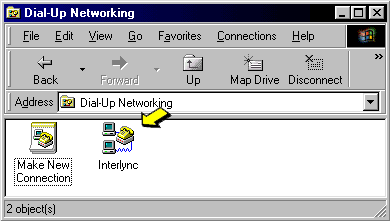
| Now it's time to check the properties of your new connection. |
| Click with your Right mouse button on the Interlync Icon. |
| A short list of menu options will open. "Click" on the Properties option (Last on the list). |
 |
